Evenly
Share money, not spreadsheets
Evenly is the shared money app. Money involving more than one person, without the bookkeeping feeling like bookkeeping. It answers three questions and refuses the rest: what did we spend, who paid, and who owes whom. No budgets, no analytics, no net worth, no feed.
The shortest path should always win. Every screen is judged by how few decisions it asks for between “I paid” and “everyone’s balance is correct” - which is why capture is a sheet rather than a destination, and why the split, the payer and the space are all suggested before anyone is asked to choose.
And nothing about shared money should ever feel mysterious. AI proposes, the user confirms; no uncertain financial value is committed silently. Every balance opens into the expenses behind it, every split explains its own arithmetic, deleted expenses come back, and settling adds a counter-entry rather than erasing history.
- Product definition, the V1 cut, and the information architecture
- A design system in SwiftUI - palette, type, spacing, motion, haptics
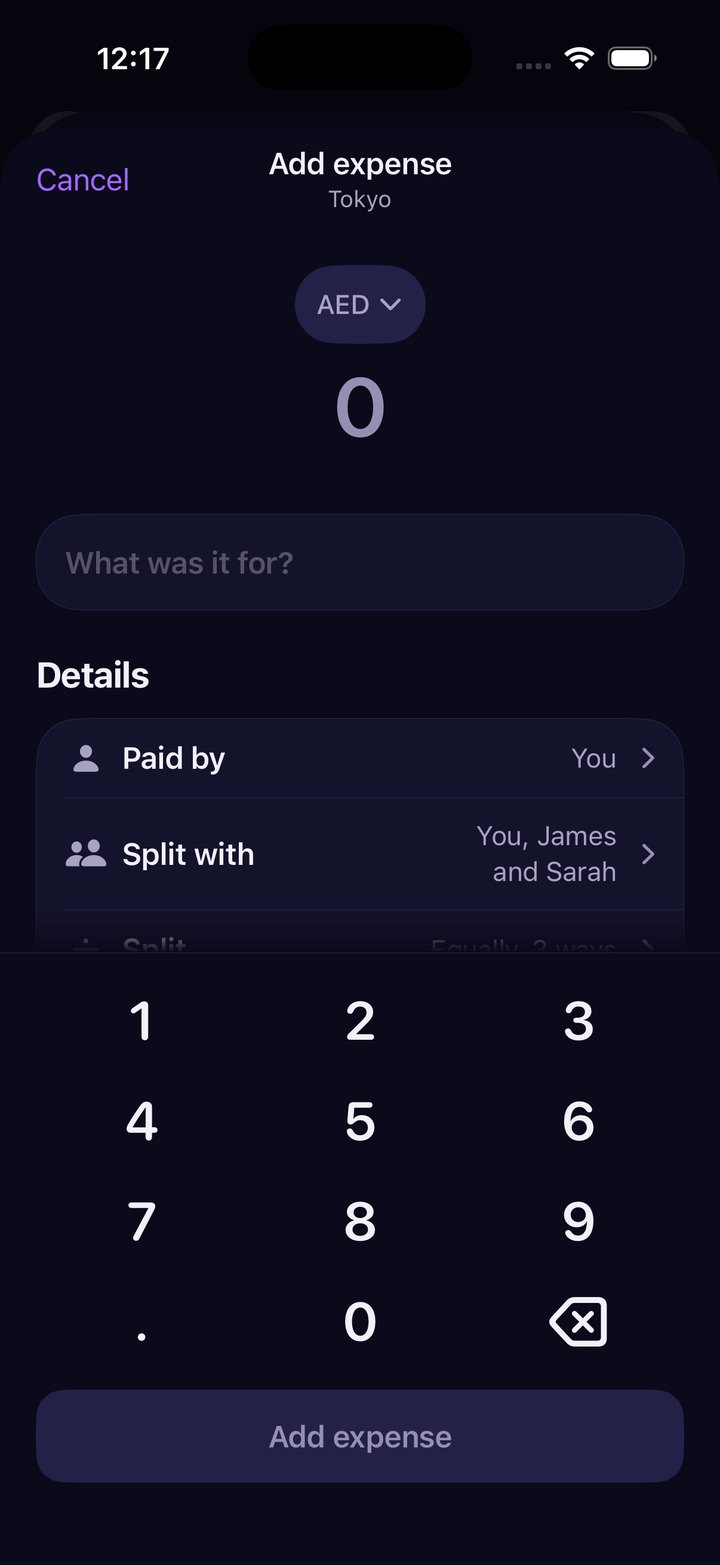
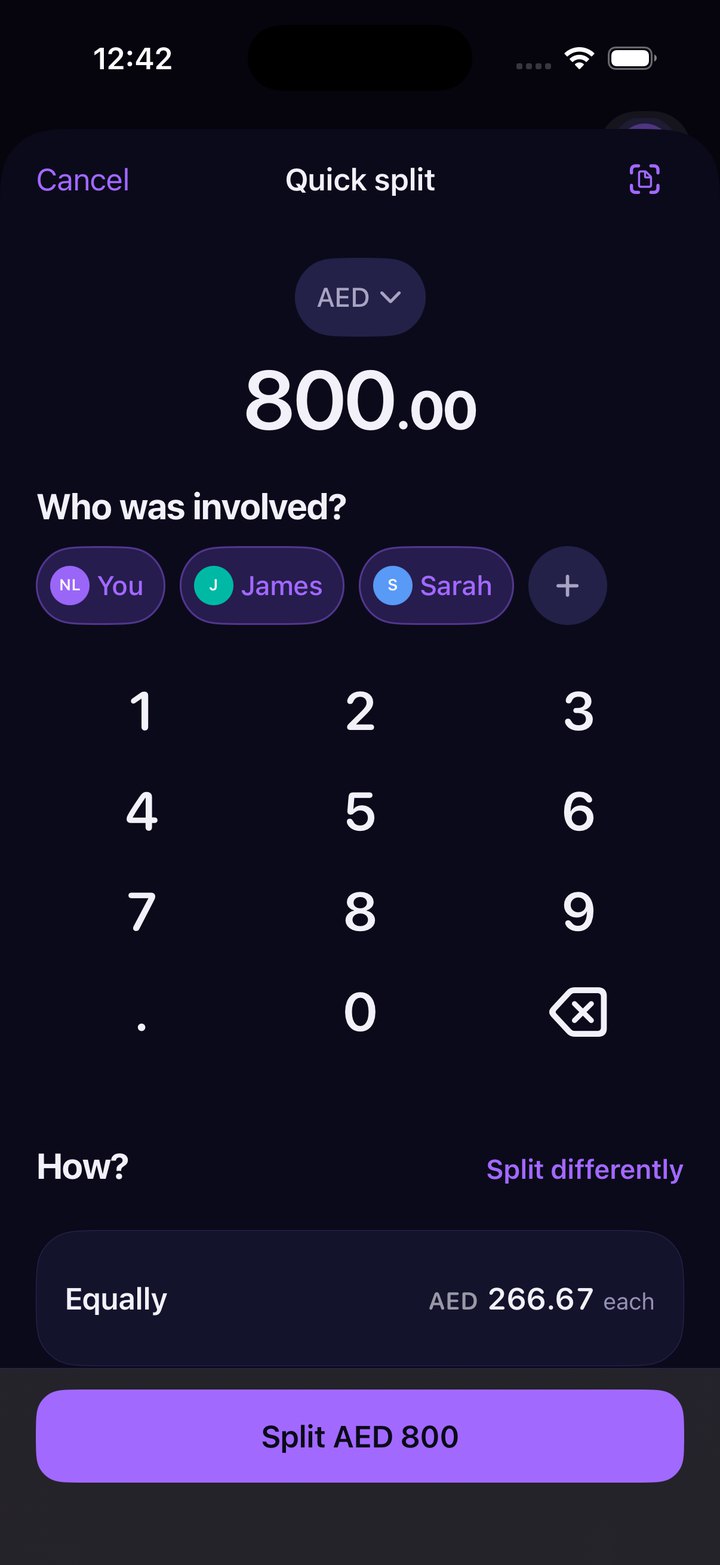
- The capture model: natural language, receipt scan, manual, Quick Split
- The splitting engine - equal, exact, percentage, shares and by item
- Debt simplification, and the screen that explains what it did
- Accessibility as a build rule: Dynamic Type to AX3, VoiceOver, reduced motion
Type it the way you would say it
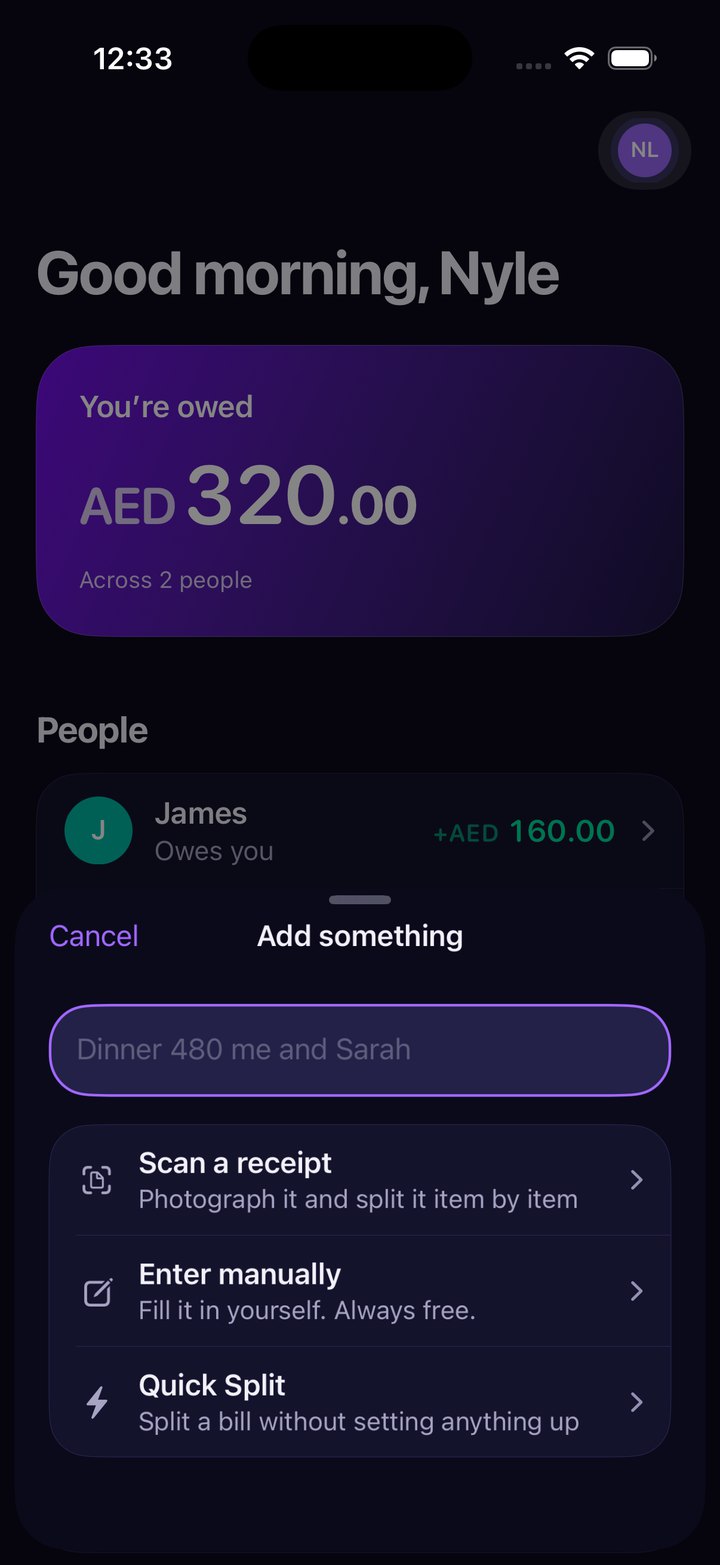
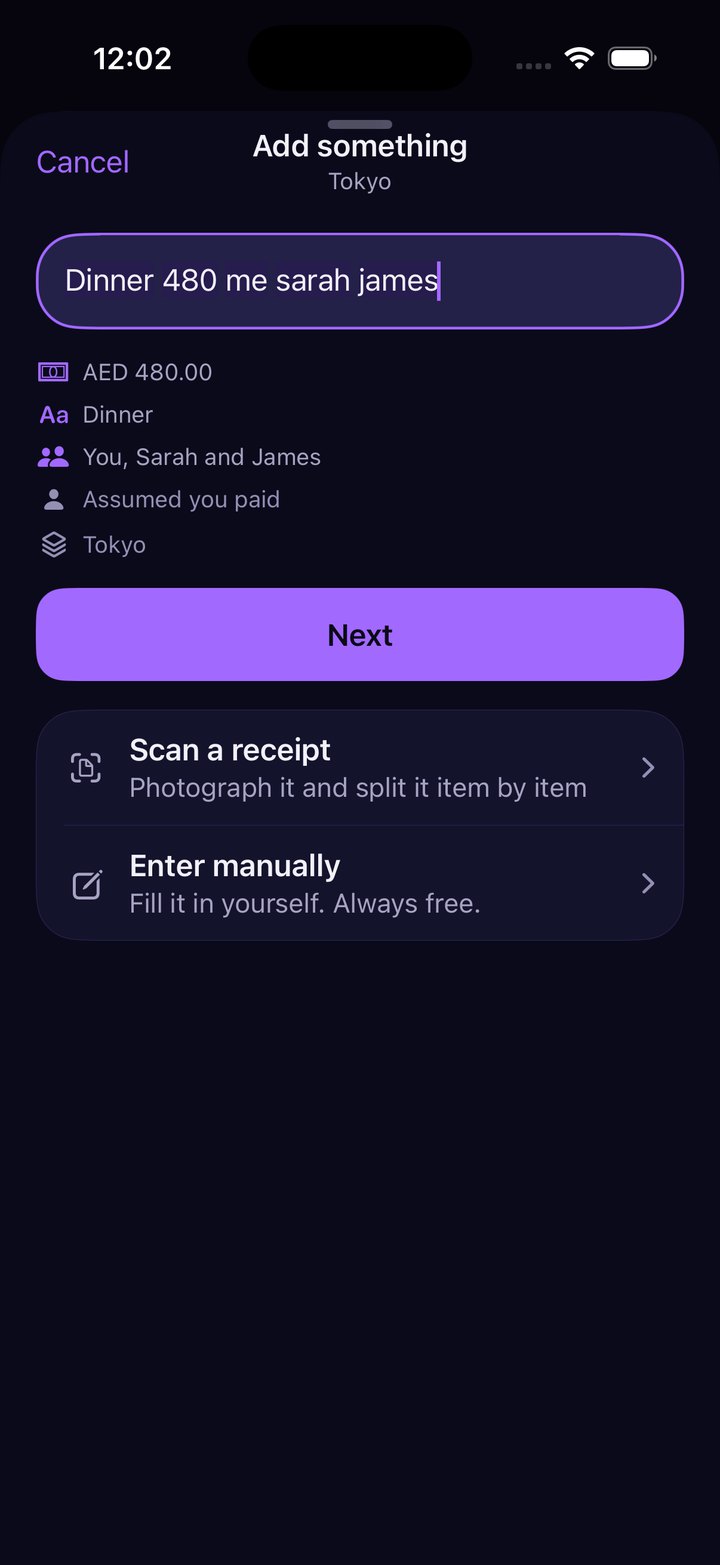
The capture sheet opens on a single field. “Dinner 480 me sarah james” is parsed into an amount, a title, the people, a payer and a space, and every one of those is shown before anything is written.
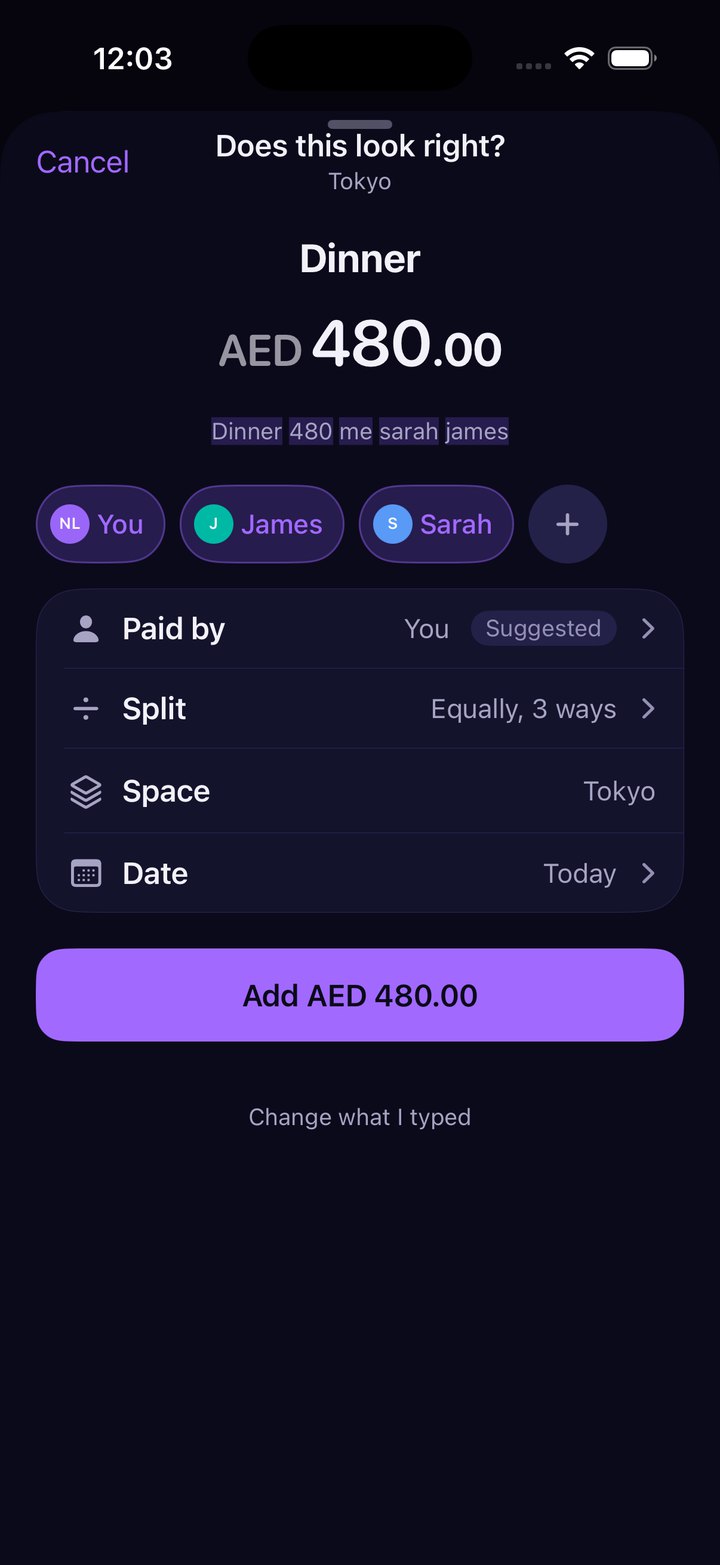
The confirmation screen is the trust principle made literal. It repeats the sentence with each token it understood highlighted, marks the payer as Suggested rather than decided, and stops on any name it does not know - “Who’s Sarah? That name isn’t in Evenly yet” - instead of guessing. Below it sits “Change what I typed”, so the escape hatch is never more than one tap away.
Your position, before anything else
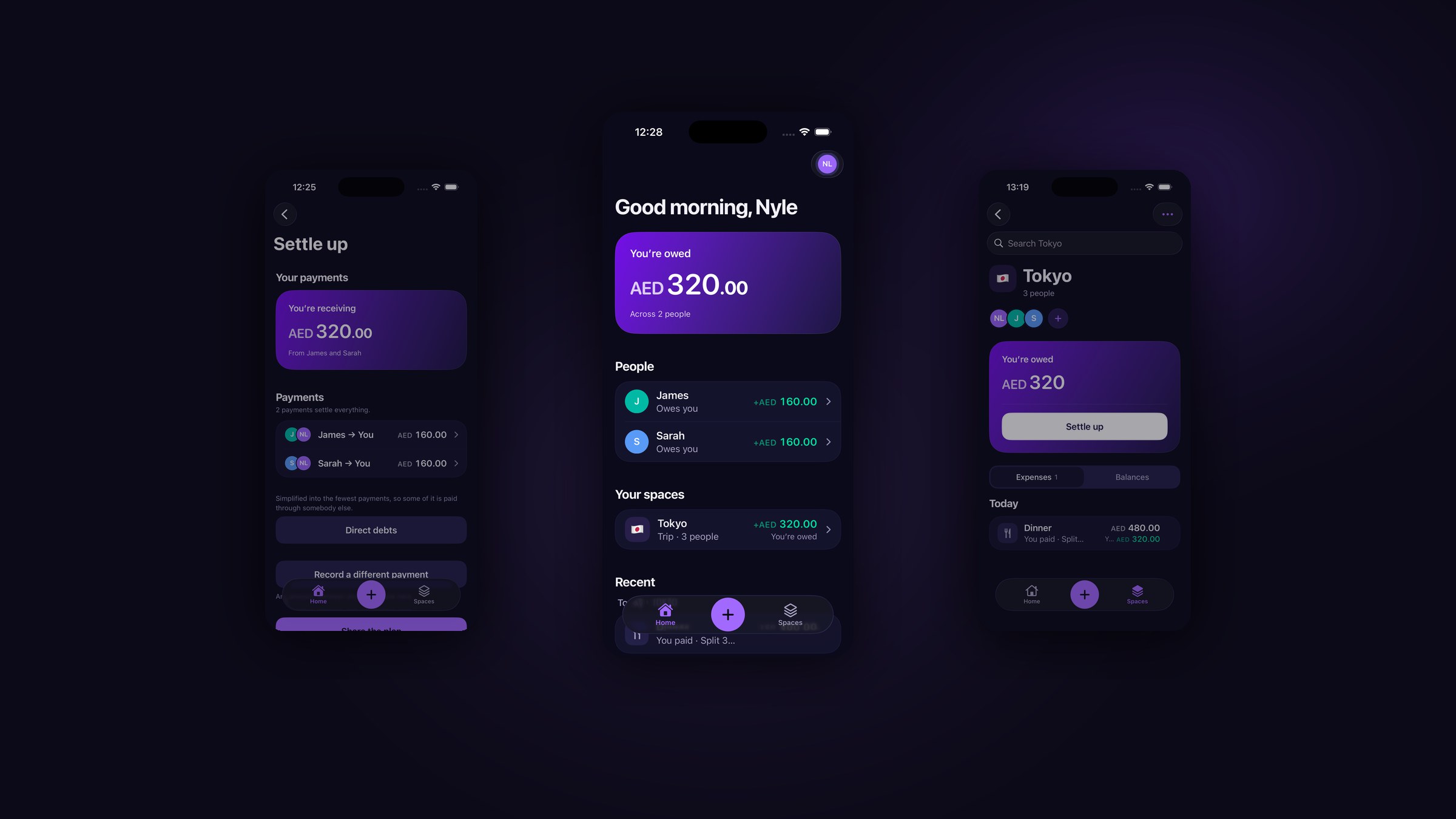
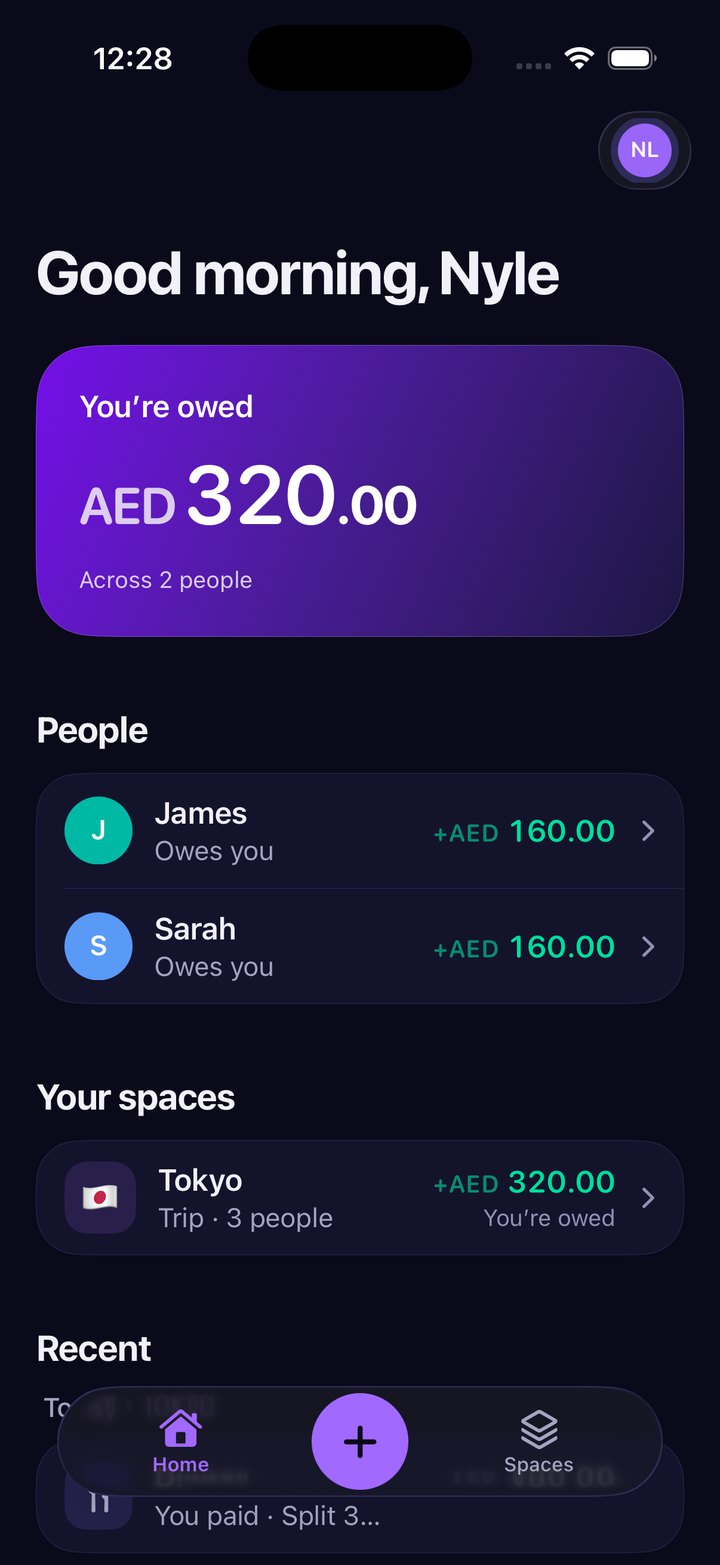
Home opens on where you stand - one figure, on the brand gradient, above everything else. Then the people you owe or are owed by, then the spaces, then what happened recently. That order is the product’s argument: a person opening a shared-money app has one question, and it is not “what did we spend on Tuesday”.
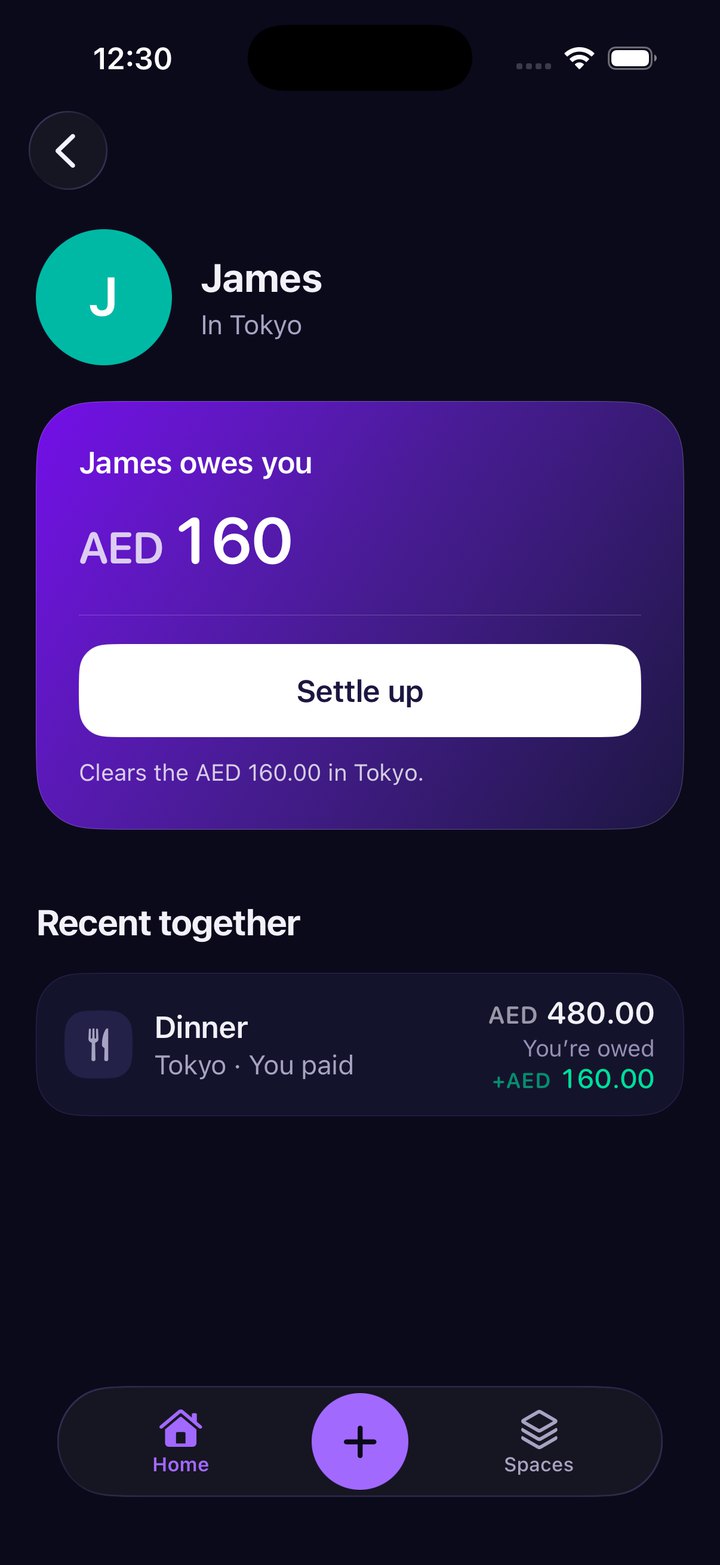
People are contextual rather than a tab. Tapping anyone gives your whole history together across every space you share, and the balance says what settling it would actually clear.
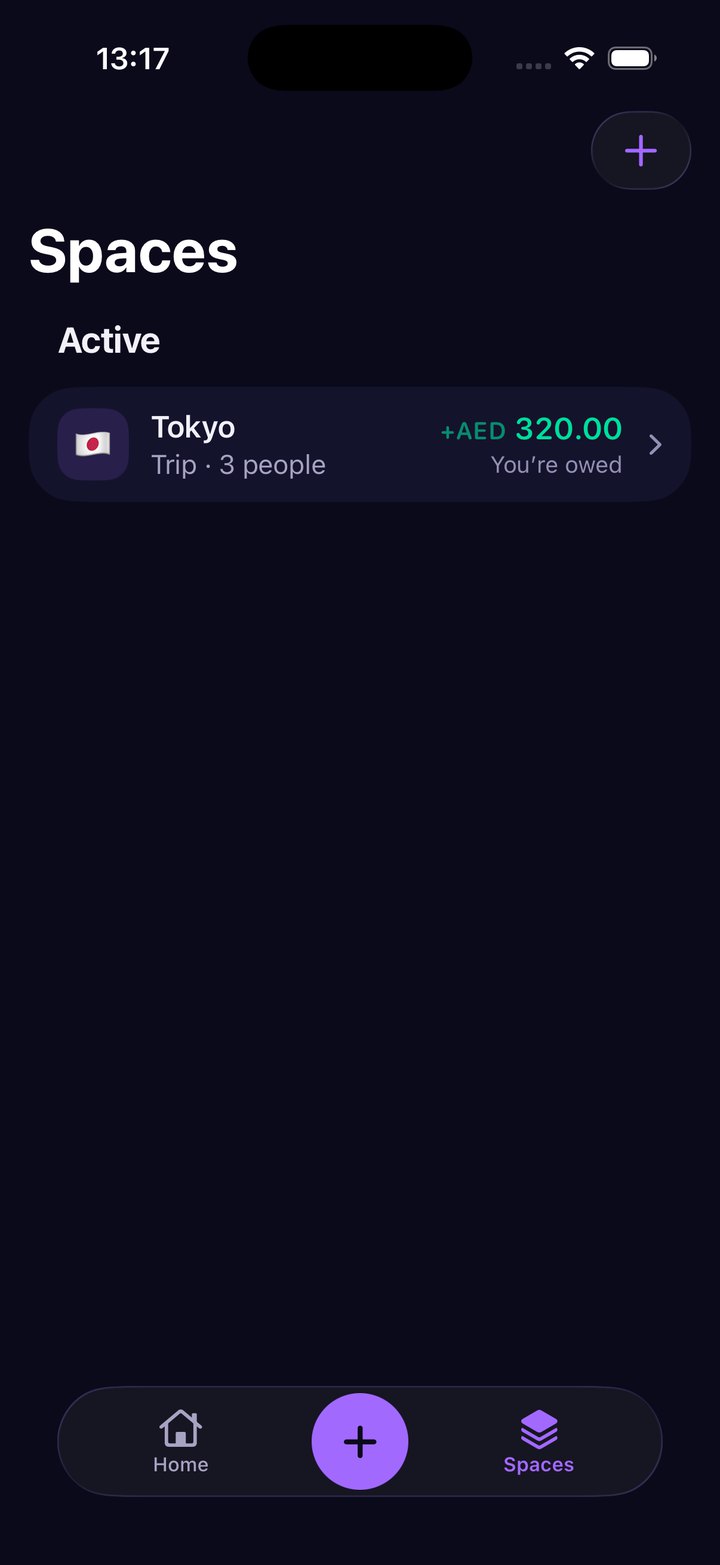
Every balance opens into what made it
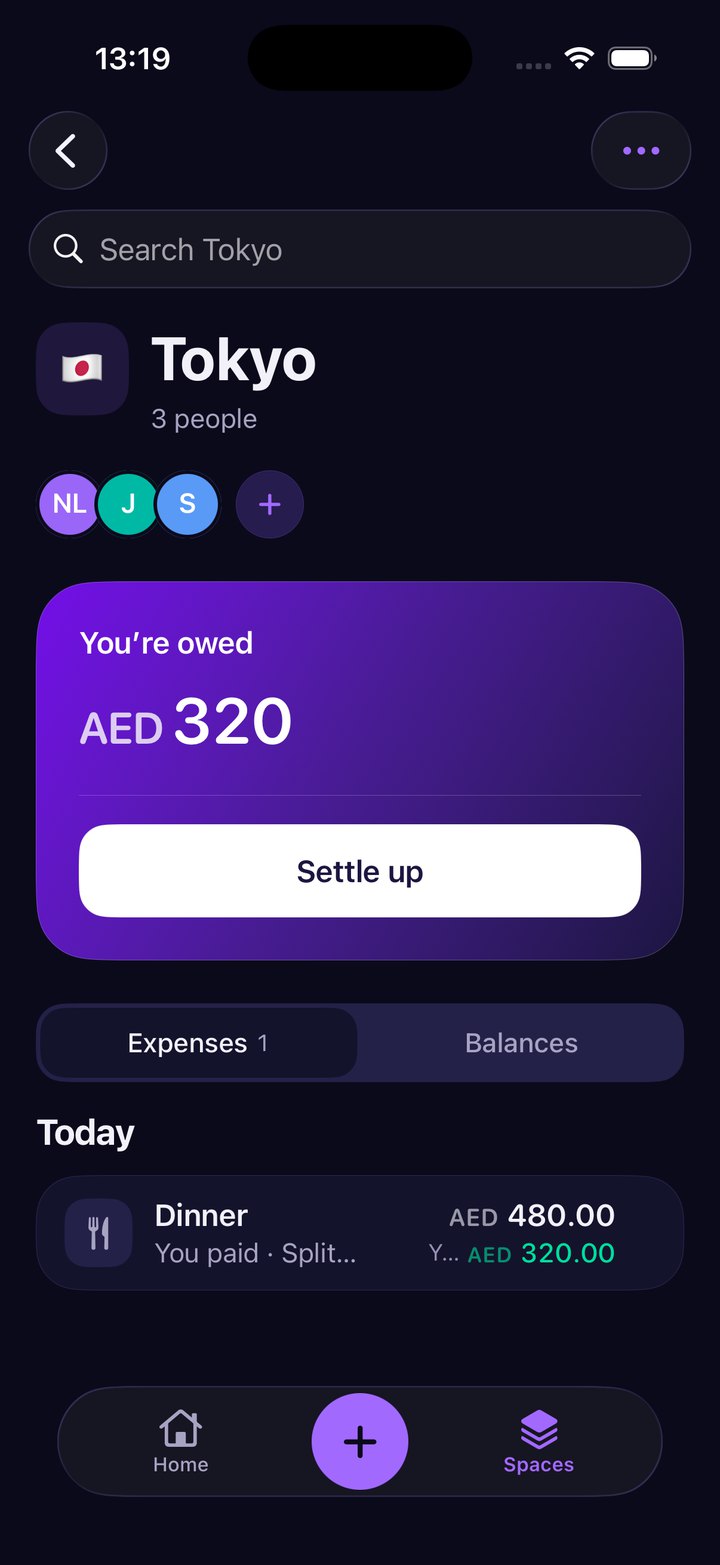
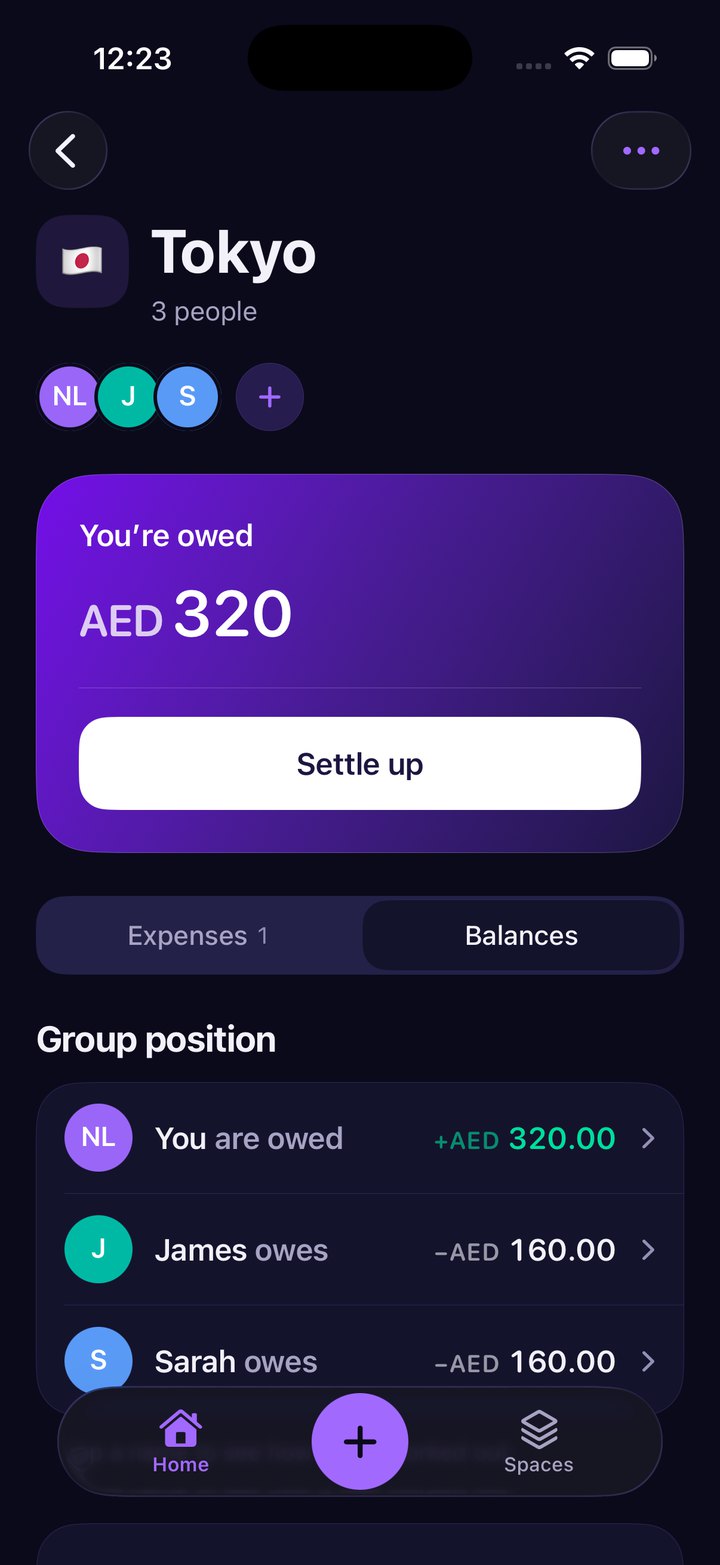
A space carries its own position card and splits into two views: the expenses as they happened, and the group position as it stands. Neither is a summary you have to take on faith - each figure is a way into the entries underneath it.
Trips are a kind of space rather than a separate product area, with dates and a local currency, and they remember the rate on the day so an old balance never moves under you.
The fewest payments, and how it got there
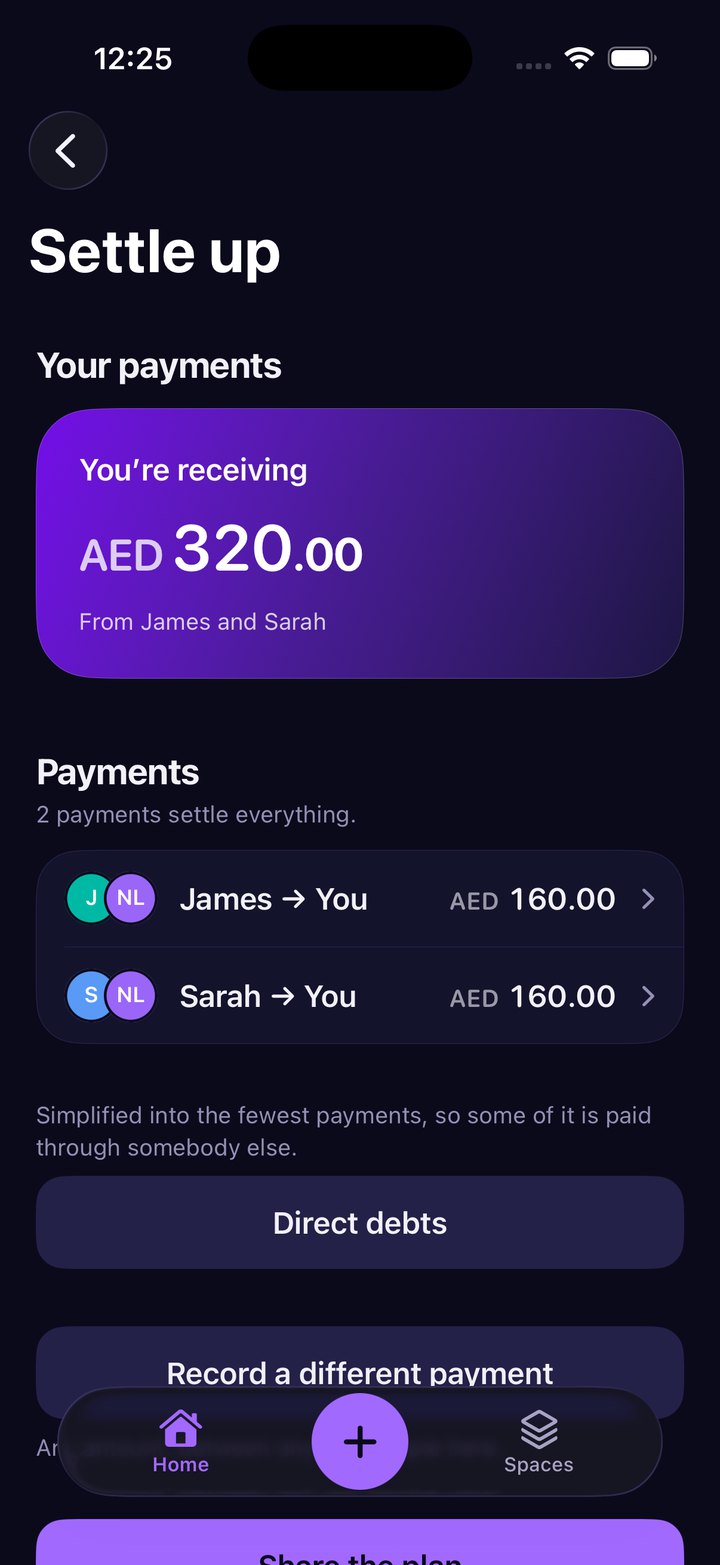
Settling works out the smallest set of transfers that clears everyone, then says so plainly: “2 payments settle everything”, followed by the admission that simplifying means some of it is paid through somebody else. Direct debts is right there for anyone who would rather not. Evenly never moves the money - it stores how a person gets paid and hands that back at the moment it is useful.
Three ways in, all of them fast
Natural language is the front door, but it is not the only one. Manual entry gets its own keypad and is always free. Quick Split takes a number and some people and works out the share without setting anything up - an action inside the capture sheet rather than a place you navigate to. The receipt scanner reads a merchant, total and date, then splits item by item with service and tax spread properly.